+++
Introduction
Hello everyone and welcome back to the next post in our Detection Engineering series. In the last post, we started getting our feet wet with detection engineering by reading through a Cisco Talos report on Chaos ransomware’s msaRAT and creating a couple Sigma rules from the activity described in the report. We made one rule for the suspicious curl.exe command used to download the malware and another for Chrome or Edge launching in headless mode with the Chrome DevTools Protocol enabled.
At the end of that post I promised we would come back and try writing a ClamAV detection for the same malware, so here we are. I will be completely honest here: ClamAV signatures looked considerably more intimidating to me than Sigma at first. Sigma is YAML, so even if you do not understand every field, you can at least look at the rule and kinda figure out what it is trying to say. A ClamAV logical signature, on the other hand, initially looks like a malware name followed by a wall of semicolons, numbers and hexadecimal.
Luckily, once we break that wall apart, the basic idea really is not that terrible. We are going to install ClamAV on Windows, talk about the different signature formats it supports, pull some potentially useful strings out of the Talos report and then combine those strings into a logical signature for the DLL containing msaRAT.
There is one important disclaimer before we get going. I do not currently have a verified copy of the actual msaRAT sample analyzed by Talos. We can safely test whether ClamAV accepts our signature and whether its Boolean logic behaves the way we expect, but that is not the same as proving the signature detects the real malware. For now, this is an experimental detection signature built from public threat intelligence. I will make that distinction throughout the post because pretending otherwise would kinda defeat the purpose of learning detection engineering in the first place.
So, let’s get ClamAV running and see if we can start to wrap our minds around ClamAV signatures.
What is ClamAV?
ClamAV is an open-source antivirus engine maintained by Cisco Talos. It can inspect files for known malicious content using a collection of signatures and it includes utilities for scanning files, updating the official signature databases and creating or inspecting signatures of our own. The three tools we care about for this post are:
clamscan, which scans files and directories.freshclam, which downloads and updates the official ClamAV signature databases.sigtool, which helps analysts create, inspect and troubleshoot signatures. This is also where ClamAV differs from the Sigma rules we wrote previously. Sigma describes suspicious behavior recorded in logs. Our Sigma rules were looking for things like a process namedcurl.exeexecuting with certain command-line arguments. ClamAV is instead looking at the contents and structure of a file. It does not know whetherRuntime.addBindingwas actually executed, it only knows whether the bytes representing that string exist in the file being scanned.
Installing ClamAV on Windows
ClamAV provides both installers and portable ZIP packages for Windows on its official download page. At the time of writing, ClamAV 1.5.4 is the current release. I used the x64 MSI installer because I am on a normal 64-bit Windows system and wanted the simplest setup possible.
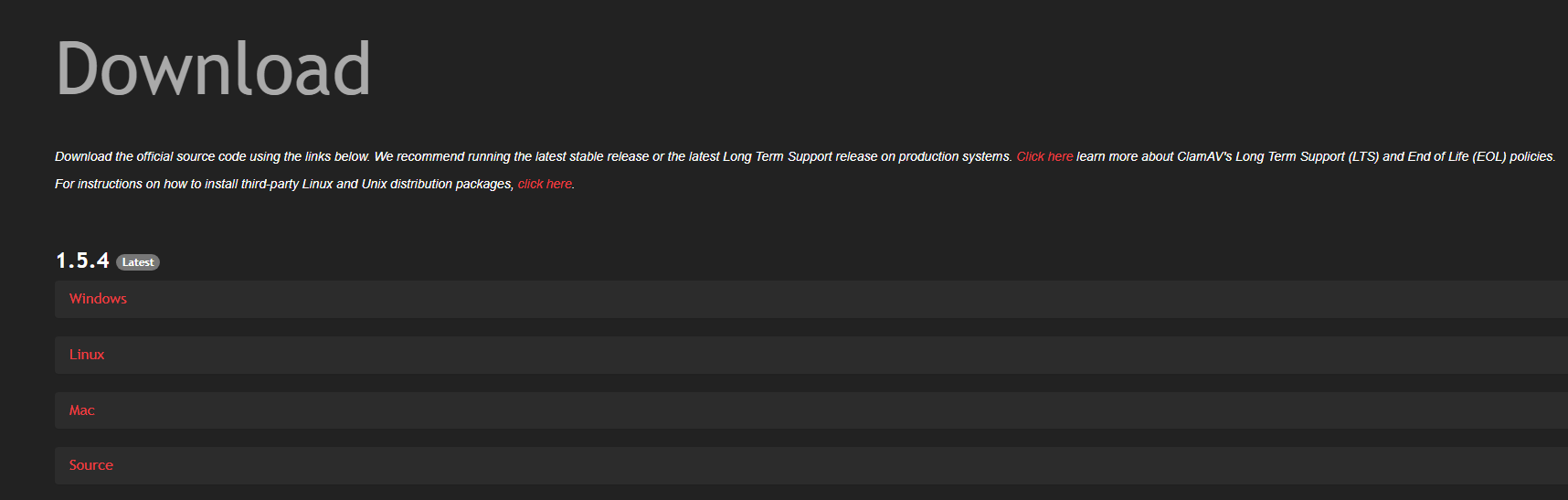 So click on whichever operating system you want to install it on and choose the right file for the architecture you’re running. Once the MSI installer is done downloading, go ahead and crack it open.
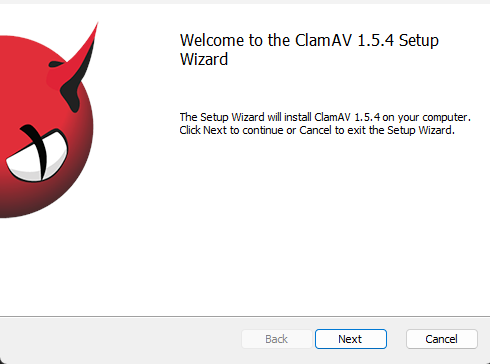 Alright, lookin good, let’s click Next.
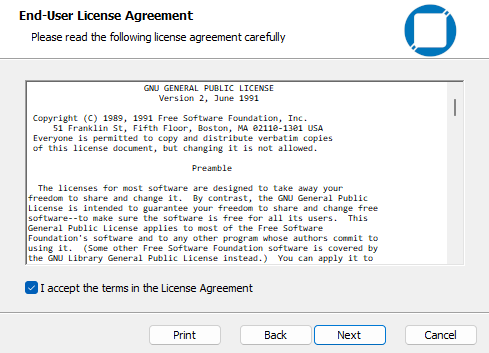 And agree to the EULA.
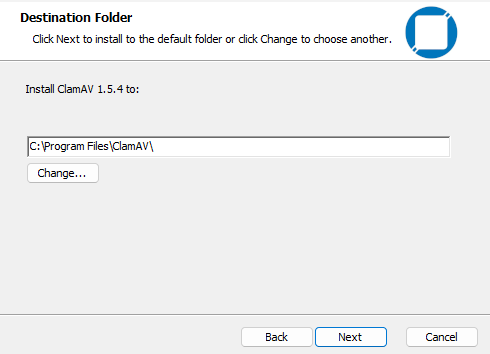 This is the default installation path on Windows and is totally fine with me, so Next.
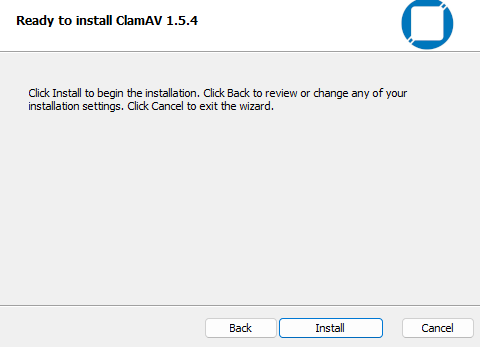 And Install. Once ClamAV finishes installing we’re going to want to open up a terminal (PowerShell) and navigate to the ClamAV path.
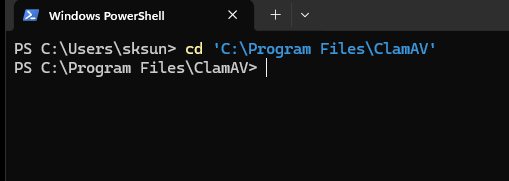 Awesome. Okay, ClamAV includes a sample configuration for
 freshclam, but we need to copy it into the main installation directory before we can use it.
 Alright, now we’re going to want to actually open up our
 freshclam.conf in Notepad cause we need to make some edits.
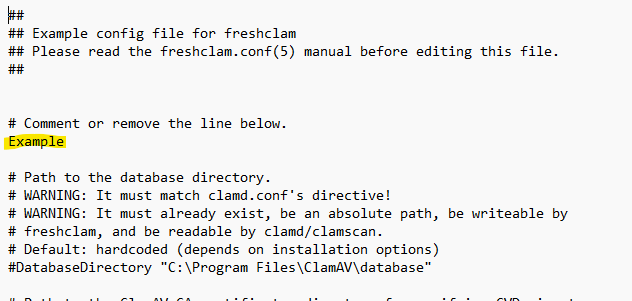 When the frashclam opens, delete the line containing
 Example, save the file and close Notepad. According to the ClamAV Windows configuration documentation, leaving that line enabled intentionally prevents the sample configuration from being used as-is and we want to use it. So yeah. After that we can go ahead and download the official signatures.
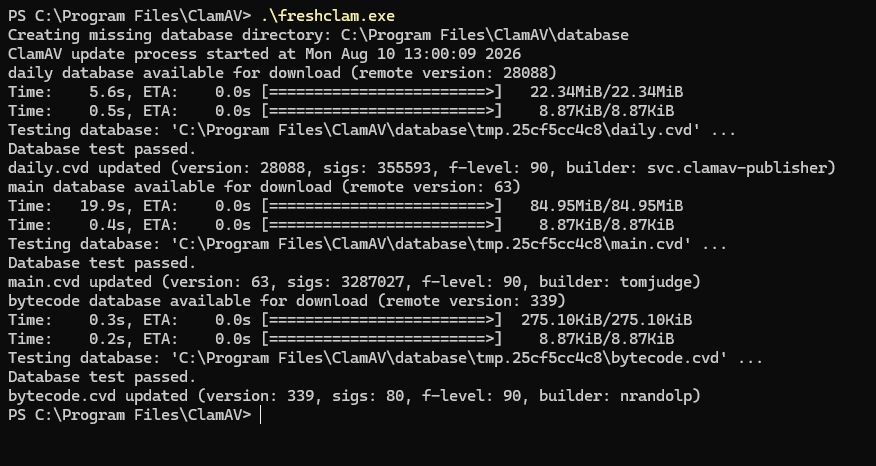 Finally, let’s verify the scanner and sigtool are working.
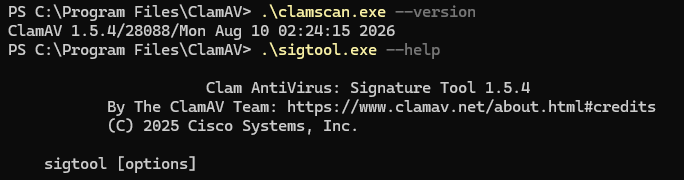 Awesome, we’re looking good so far. We’re not gonna set up the
 clamd service or real-time scanning in this post. All we need for writing and testing a custom signature is the command-line scanner so that’s all we’re setting up for now.
How ClamAV Signatures Work
One thing that confused me initially is that there is not one universal “ClamAV rule” format. ClamAV calls these detections signatures, and the extension of the file tells the engine how each line inside it should be interpreted. ClamAV supports quite a few database formats, but these are the three that make the most sense to introduce here:
| File type | Detection method | Basic idea |
|---|---|---|
.hdb or .hsb |
Whole-file hash | Detect this exact file based on its hash and size. |
.ndb |
Extended content signature | Detect one hexadecimal byte pattern in a certain target type or location. |
.ldb |
Logical signature | Combine several content patterns using Boolean logic. |
A hash signature is probably the easiest to make, but it is also extremely fragile. If a single byte in the malware changes, its whole-file hash changes and our detection no longer works. An extended signature lets us search for content rather than an exact file, but we only get one main pattern and therefore have less context.
For msaRAT, a logical .ldb signature makes the most sense. The Talos report provides several strings that are individually interesting but much more useful when we require a specific combination of them. The official ClamAV documentation gives the logical-signature format as:
SignatureName;TargetDescriptionBlock;LogicalExpression;Subsig0;Subsig1;Subsig2;...
Well, that certainly looks like something. Let’s break it down.
Signature Name
The first field is simply the name ClamAV reports when the signature matches. Signature names cannot contain spaces and should be descriptive enough for us to have some idea of what was actually detected. For our test rule, I am going with:
Win.Trojan.MsaRAT_Test-1
Talos has a standard naming convention for signatures that looks like the following.
{platform}.{category}.{name}-{signature id}-{revision}
So comparing this to our rule name, the platform is Windows, category is Trojans and then for the actual name part we put what we’re trying to detect and a version number. Also just because this is a test signature I include that as well.
Target Description Block
The next field tells ClamAV what kind of content should be inspected. ClamAV uses numeric target types, including:
Target:0for any file type.Target:1for Windows Portable Executable files, including EXEs and DLLs.Target:2for OLE2 containers, including MSI installation files. UsingTarget:0would technically let ClamAV look for our strings everywhere, but that would be unnecessarily broad and less efficient. Since we are writing this first signature for the maliciouslib.dll, our target block will be:
Target:1
Logical Expression
The logical expression describes which content patterns must match before ClamAV reports a detection. Each pattern, or subsignature, is numbered starting with zero. So the first pattern is 0, the second is 1, the third is 2 and so on.
The operators work about how you would expect:
0&1
means subsignature 0 and subsignature 1 must match, while:
0|1
means either one may match. Parentheses let us group conditions just like a normal Boolean expression:
0&(1|2)
That expression requires subsignature 0 and either subsignature 1 or 2. So, hey, already considerably less scary than it looked five minutes ago.
Subsignatures
Finally, each remaining semicolon-separated field contains a byte pattern ClamAV should look for. Native ClamAV content signatures represent these bytes in hexadecimal rather than plain text. This allows a signature to describe machine instructions and non-printable data in addition to normal ASCII strings. For example, the ASCII string:
msaOpen
becomes:
6d73614f70656e
ClamAV also supports wildcards, offsets and modifiers for more advanced signatures, but I think we have enough going on for our first one. We are going to stick with exact, case-sensitive ASCII strings for now. The full hexadecimal pattern syntax is available in the ClamAV content-signature documentation.
Understanding What We Are Detecting
Before blindly turning every interesting word in the Talos report into hex, let’s make sure we understand the malware chain.
According to the Talos analysis, the attacker first downloads and executes update_ms.msi. When installation finishes, the MSI triggers a custom action named CA_Run_EA2AEBC3. That action loads lib.dll, which is embedded in the MSI’s Binary table as Bin_lib_EA2AEBC3, directly into memory. The DLL exposes an exported function named RUN, which is designed to be called by the installer.
The important distinction here is that the MSI is the delivery container and lib.dll is the actual Rust-based msaRAT payload. Talos refers to the installer extracting the payload, but also specifically says the custom action loads it directly into memory. We should not assume that a normally visible file named lib.dll is permanently written to disk.
This also means our potential strings belong to two different layers:
| String | Expected artifact | Usefulness |
|---|---|---|
CA_Run_EA2AEBC3 |
MSI | Distinctive custom-action name, but it belongs in an MSI-focused signature. |
Bin_lib_EA2AEBC3 |
MSI | Distinctive Binary-table entry, but again specific to the MSI. |
RUN |
DLL export | Relevant to the execution chain but far too generic by itself. |
msaOpen, msaClose, msaError, msaMessage |
DLL | Unusual binding names and much stronger as a group. |
dataAck |
DLL | The fifth binding registered by the malware; weaker alone but useful with the others. |
Runtime.addBinding |
DLL | Connects the binding names to the malware’s use of CDP. |
is-01-ast.ols-img-12.workers.dev |
DLL | Highly specific infrastructure, although an attacker can change it easily. |
For this first signature, I am going to target the DLL and leave CA_Run_EA2AEBC3 and Bin_lib_EA2AEBC3 for a future MSI rule. I am also dropping RUN. Plenty of legitimate DLLs could export a function with that name, and the other strings give us considerably better context.
Converting Our Strings to Hexadecimal
The ClamAV documentation demonstrates sigtool --hex-dump for converting content into hexadecimal. We can do the same by calling sigtool from the ClamAV directory
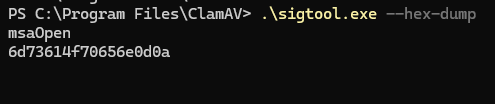 Important Note: That trailing
 0doa at the end there is the newline character so we can discard those characters. That leaves us with msaOpen in hex as:
6d73614f70656e
After converting all our candidate strings, we end up with the following subsignatures:
| Index | Original string | Hexadecimal pattern |
|---|---|---|
| 0 | msaOpen |
6d73614f70656e |
| 1 | msaClose |
6d7361436c6f7365 |
| 2 | msaError |
6d73614572726f72 |
| 3 | msaMessage |
6d73614d657373616765 |
| 4 | dataAck |
6461746141636b |
| 5 | Runtime.addBinding |
52756e74696d652e61646442696e64696e67 |
| 6 | is-01-ast.ols-img-12.workers.dev |
69732d30312d6173742e6f6c732d696d672d31322e776f726b6572732e646576 |
Building our Signature
The strictest possible version of this signature would require every single string:
0&1&2&3&4&5&6
That should be highly specific to this sample, but it is also fragile. Infrastructure is easy for attackers to rotate, so requiring the exact Workers domain means a domain change defeats the entire signature. So for our first attempt, I settled on:
0&1&2&3&4&(5|6)
In plain English, ClamAV must find all five binding names and then find either Runtime.addBinding or the known Workers domain. The binding-name family provides the core identity, while the final choice gives us some extra CDP or infrastructure context without requiring both.
We’ll be comparing our rule to to official Talos rule they list at the end of their blog post shortly, so we’ll see how far off we were.
Our Completed ClamAV Signature
Combining the signature name, target, logical expression and hexadecimal subsignatures gives us:
Win.Trojan.MsaRAT_Test-1;Target:1;0&1&2&3&4&(5|6);6d73614f70656e;6d7361436c6f7365;6d73614572726f72;6d73614d657373616765;6461746141636b;52756e74696d652e61646442696e64696e67;69732d30312d6173742e6f6c732d696d672d31322e776f726b6572732e646576
Okay, I know that went right back to looking like an indecipherable wall of text, but now we actually know what it’s doing now.
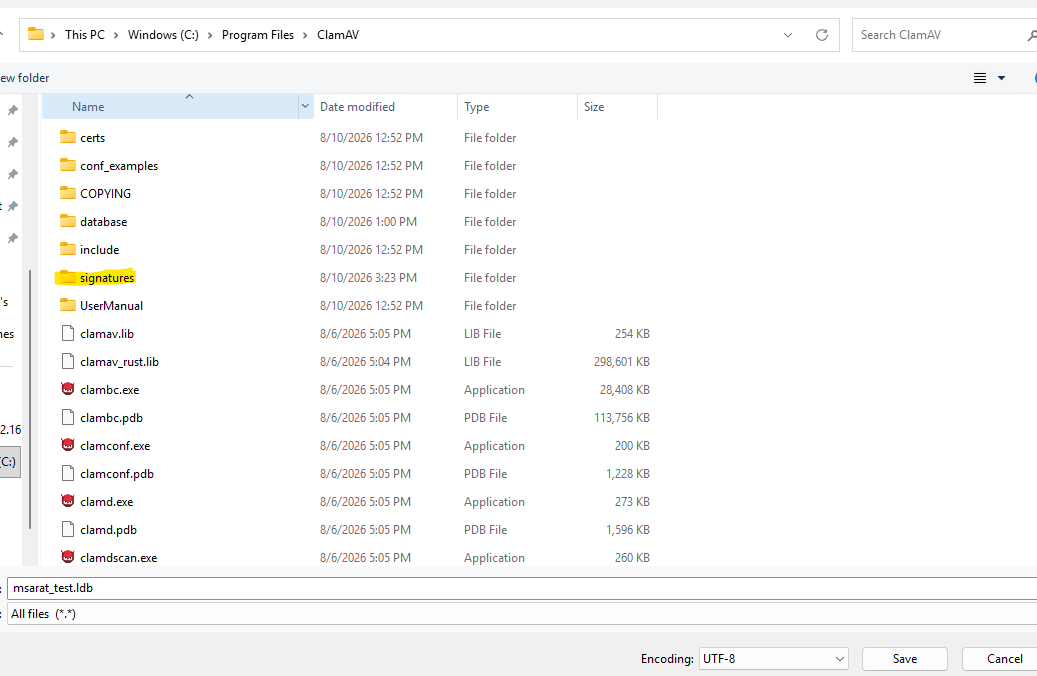
So, let’s go ahead and open up Notepad and paste our rule in here.
 I know that’s a terrible screenshot, but that’s to highlight an important note. ClamAV signatures go on one line. So This is how it’s supposed to look. We’re gonna go ahead and save this off to a folder we make called
 signatures.
Safely Testing the Signature
Here is where we need to be very deliberate about what our test proves. We do not have the authentic lib.dll, so we cannot say we have validated detection of msaRAT itself. What we can test is whether:
- ClamAV accepts our logical-signature syntax.
- A PE containing the required strings triggers the signature.
- A PE missing part of the logical expression does not trigger it.
We can do that without any malware by copying a legitimate Windows executable and adding our test strings to the copy. First, let’s create a temporary testing directory.
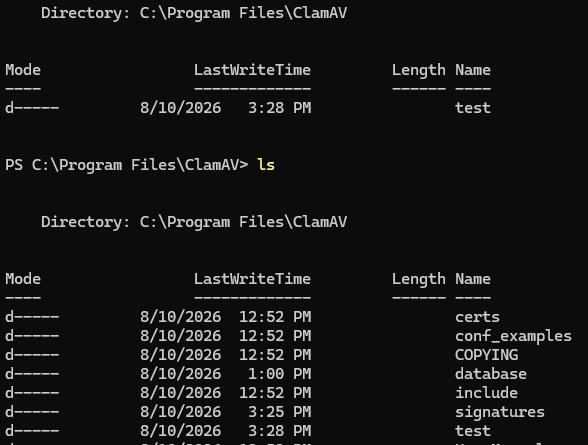 Let’s go ahead and copy
 whoami.exeto our test directory.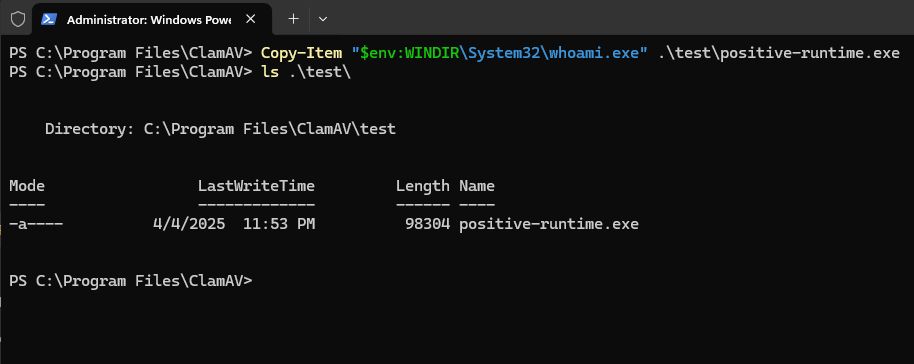 Alright, now we’re going to append the raw strings
 msaOpen msaClose msaError msaMessage dataAck Runtime.addBindingto the end of the copiedwhoami.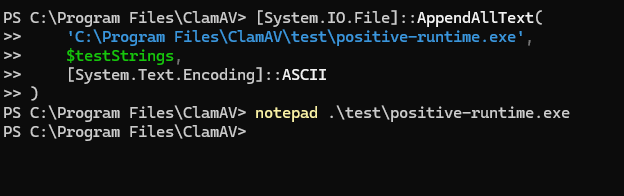 So we run that command there that adds our
 testStringsto the end of the file. We can see this when we open the copied .exe in Notepad and look at the bottom.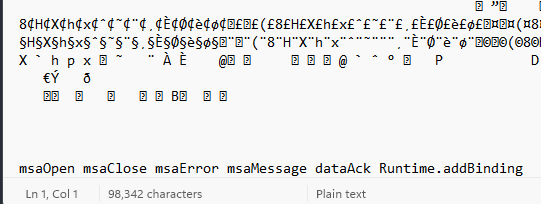 This should trigger our ClamAV signature. Alrighty, well let’s go ahead and scan it with our custom signature!
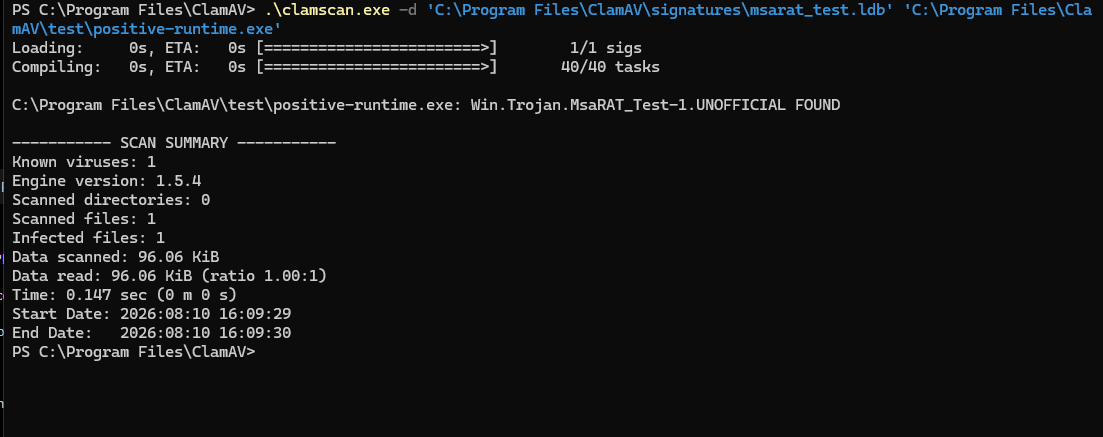 And look at that, we can see the signature properly fired! Quick side note, ClamAV adds
 UNOFFICIALbecause this is a locally supplied signature rather than one in its official database. Now let’s go ahead and scan the normalwhoami.exebinary.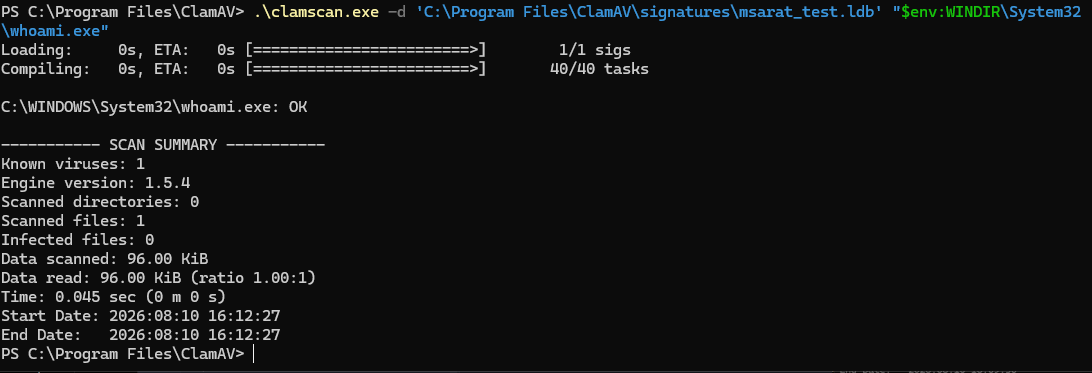 Awesome, this file returns
 OKwith 0 infected files, as should be expected. One other detail worth knowing is that using-dto load our custom signature. This meansclamscandoes not automatically load the official databases downloaded byfreshclam. That is of course useful for this isolated test because any detection we receive should come from our rule, but some scanning and unpacking capabilities supplied through other database files may not be available. ClamAV covers this behavior in its signature-testing guidance.
Comparing Our Work to the Talos Signature
Talos states that the official ClamAV signature Win.Downloader.ChaosRaas-10060321-0 detects this threat. So let’s go ahead and see how are rules holds up to what the pros wrote.
After updating the official databases with freshclam, sigtool can search them by signature name:
.\sigtool.exe --find="Win.Downloader.ChaosRaas-10060321-0"
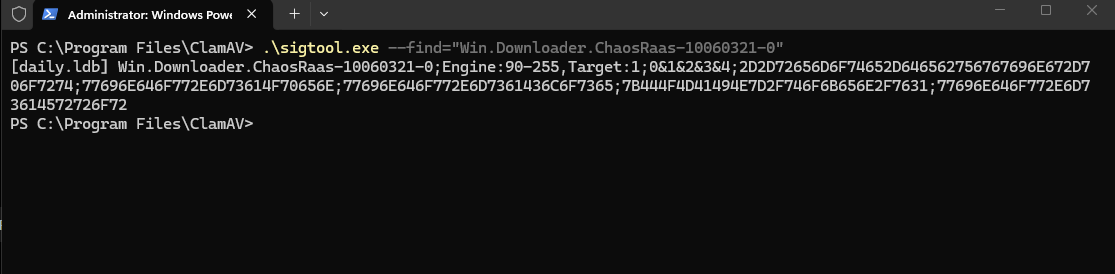 So right off the bat we see a few differences. First, when it comes to naming convention, they label it as a downloader and associate it with the ransomware ChaosRaaS. Which yeah, that makes sense. We then have 5 subsignatures that all need to match for the signature to fire. Alright, we’re going to take their subsignatures into CyberChef and see what strings they were looking for.
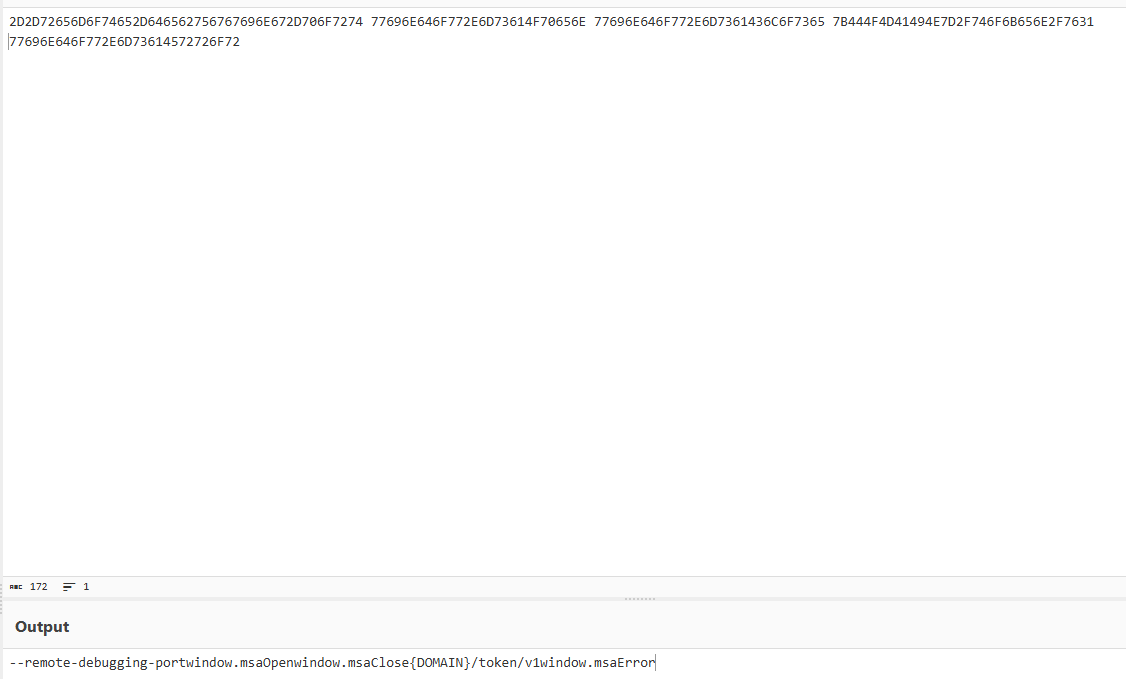 So the strings Talos are matching here are:
--remote-debugging-port

window.msaOpen

window.msaClose

{DOMAIN}/token/v1

window.msaError
Hey we weren’t actually too far off so that’s cool. They have msaOpen msaClose msaError as expected, granted with the window. preface. Now where things are different, first the --remote-debugging-port makes a ton of sense. As that it the flag the attackers use to enable CDP for their C2 channel that makes sense, we should have included that. Same deal with the {DOMAIN}/token/v1 endpoint, that is an important element of how a compromised hosts checks in the the C2 server and that is a little more stable than a ephemeral URL that will definitely be changed between attacks so that makes sense. Honestly, for our first go at this not too bad actually so good job everyone!
Conclusion
Today we continued our little detection-engineering adventure by taking the same msaRAT report from our Sigma post and approaching it from the file side. We installed ClamAV on Windows, learned the difference between hash, extended and logical signatures and turned a group of reported strings into our first .ldb rule.
We validated that ClamAV accepts the signature and that our signature can detect a safe example binary. However, we cannot yet claim that it catches the authentic malware. Unfortunately, I cannot seem to find a sample of this malware anywhere, but I may have a solution for that so stay tuned for more. Thank you for checking this post out and I’ll see you in the next one!